
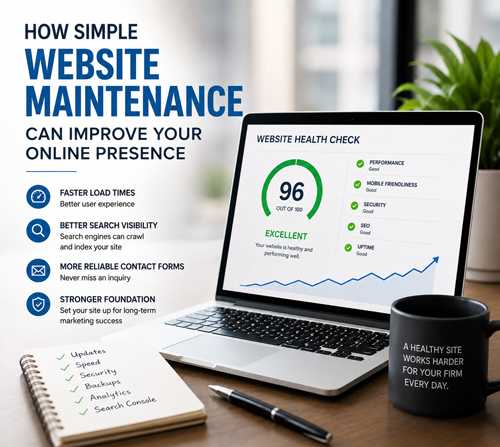
As we worked through the site, we updated the CMS platform, theme, and plugins. We resolved technical issues that had accumulated over time, improved page speed, cleaned up caching problems, verified analytics, and fixed email delivery so contact forms reached the attorney reliably.
The website became noticeably faster and more stable.
Soon afterward, something interesting happened.
The firm began receiving more activity through the website. Real inquiries started coming in, and even automated bot traffic increased.
While nobody wants spam submissions, an increase in automated activity can be one sign that bots and other systems are discovering and interacting with the site. More importantly, the firm was receiving legitimate inquiries, and visitors were reaching a website that loaded faster and worked more reliably.
Can we say maintenance alone caused the increase?
No. Search performance depends on many factors, including competition, content, backlinks, user behavior, and changes in demand. What we can say is that a faster, healthier website gives both search engines and visitors a better experience.
Every improvement helps.
Pages load faster. Visitors spend less time waiting. Search engines can crawl the site more efficiently. Broken functionality is eliminated. Contact forms work consistently. Analytics begins collecting reliable data.
Together, these improvements create a stronger foundation for every future marketing effort.
Think of website maintenance as preparing the ground before planting a garden. Healthy soil will not guarantee a bigger crop, but it does give every seed the best opportunity to grow.
A Few Maintenance Items That Make a Difference
- Keep the CMS platform, themes, and plugins updated. Updates can address security issues, compatibility problems, and performance concerns.
- Monitor site speed regularly. A page that loaded quickly last year may slow down as plugins, content, and scripts are added.
- Fix broken forms and email delivery issues immediately. A form submission has little value if it never reaches the person responsible for responding.
- Remove unnecessary plugins and software. Unused tools can add security risks, slow the website, and create conflicts.
- Verify analytics. Reliable tracking helps you understand where visitors are coming from and what they do on the site.
- Review caching. Caching should improve performance without causing outdated pages, display problems, or broken functionality.
- Check Google Search Console. Review indexing problems, crawl errors, mobile usability concerns, and pages that may not be appearing properly in search results.
These tasks may sound small individually, but website performance is often the result of many small systems working together correctly.
A site can look fine on the surface while forms fail behind the scenes, analytics collects incomplete data, important pages remain unindexed, or caching prevents visitors from seeing current information.
A Healthy Website Creates Better Opportunities
Making sure the website you already have is performing at its best can produce meaningful improvements long before a business invests in larger marketing initiatives.
A healthy website works harder for your firm every day. It provides a better experience for prospective clients, gives search engines a cleaner site to crawl, and creates a solid foundation for SEO, advertising, content marketing, and everything else that follows.
Before adding more to your marketing strategy, make sure the website supporting it is ready to do its job.