
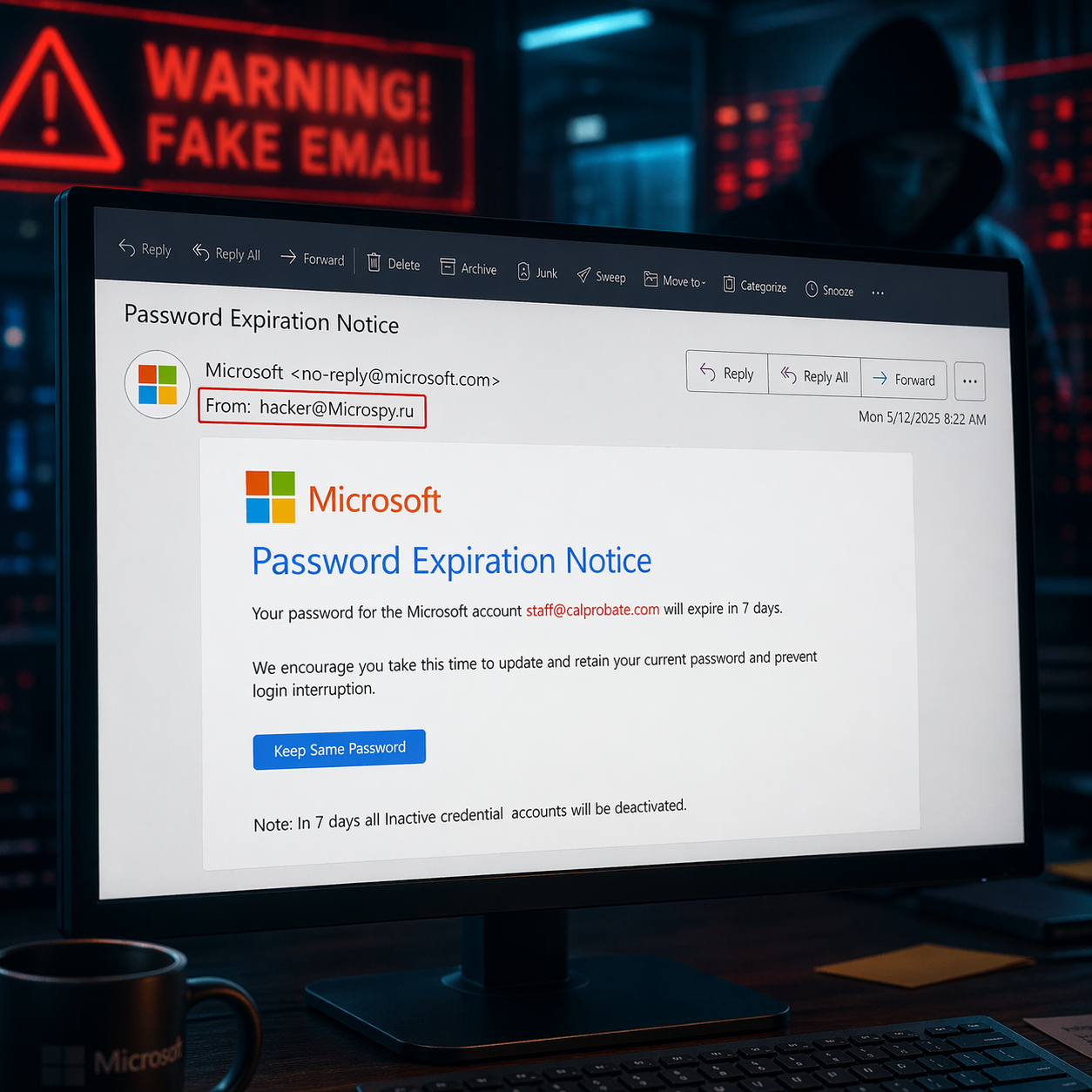
The new rule: no click without verification
Treat unexpected emails the way lawyers treat unsigned exhibits: no authenticity, no action.
Here are the habits every email user should follow:
- Do not click links or open attachments in emails you were not expecting. Phishing messages frequently use unexpected links and attachments to steal passwords or install malware.
- Check the sender’s email address carefully, not just the display name. A fake address can look almost right at first glance.
Example:john@gmail.comis different fromjohn@gmaiI.com
In the second example, that is a capital “I,” not a lowercase “l.” The FBI specifically warns that slight variations on legitimate addresses are a common scam tactic, and DocuSign advises checking that messages come from a legitimate DocuSign domain. - Hover over links before clicking. If the destination looks strange, misspelled, or unrelated to the company you think sent it, close the email. Microsoft and DocuSign both recommend hovering over links and buttons to verify where they really go.
- If you have any doubt, verify through a trusted method. Do not reply to the suspicious email. Do not call the phone number in the suspicious email. Instead, call the sender using a number you already know, one in your contacts, on their website, or in your matter file. The FTC recommends contacting a company through a trusted website or phone number, not through the message that raised concern.
- Do not reset a password, enter login details, or “fix your account” because an email told you to. Phishing emails often claim there is a billing issue, suspicious sign-in, or account problem to push you into clicking. If something may actually be wrong, go to the official website directly or check with your IT team first.
- Be extra suspicious of anything involving money, invoices, or wiring instructions. The FBI says business email compromise scams often appear to come from a known source and may use only tiny changes in the sender address. In a legal setting, any message changing payment details should be confirmed by phone with a known contact before anyone acts on it.
- If something feels off, report it. CISA emphasizes that user training and reporting suspicious messages are key defenses against phishing. And if you already clicked a link or opened an attachment, notify IT immediately so they can respond quickly. The FTC also advises updating security software and running a scan after a suspicious click or download.
See additional blog on email spoofing
See additional blog about top 5 email attacks.
For IT teams: the technical side matters too
Users are the last line of defense, but they should not be the only line of defense.
At a minimum, make sure SPF, DKIM, and DMARC (see blog on this) are enabled and properly configured for your domains and third-party senders. Google says these authentication methods help protect recipients from spoofing and phishing, help protect your organization from being impersonated, and improve delivery. Microsoft also recommends anti-phishing and anti-spoofing protections for cloud mailboxes.
That said, authentication is important but not magical. It helps reduce spoofing, but it does not stop every phishing email, especially lookalike domains and other deceptive tactics. That is one reason user awareness still matters so much.
If your firm does not already use advanced email filtering, that is worth fixing. We offer 2b1 Care Advanced Email Security powered by Acronis, which scans inbound and outbound email traffic in real time and uses anti-phishing and anti-spoofing checks, including SPF, DKIM, and DMARC review, to help stop threats before they reach users.
The most important defense is still people
The best filter in the world can catch a lot. It cannot replace common sense.
Train every email user to slow down and ask a few basic questions:
- Was I expecting this?
- Does the sender address look exactly right?
- Is the message trying to create urgency?
- Does the wording feel odd, translated, or just slightly “off”?
- Am I being asked to click, log in, reset a password, open an attachment, or move money?
CISA says phishing is often preventable when employees are trained to recognize suspicious messages, and the FTC recommends multi-factor authentication because it makes account takeover harder even if a password is stolen.
The bottom line is simple: when in doubt, do not click.
You will never regret deleting a fake email. You may very much regret trusting one.