
The Little Square That Could
A QR code is basically a shortcut. Scan it with your phone, and it can send you to a website, open a menu, start a payment, or prompt you to download an app. The FBI has noted that businesses used QR codes more frequently during the COVID-19 pandemic for convenient, contactless access.
That part is legitimate. Helpful, even.
The problem is that a QR code is a link wearing a costume. With a normal website link, you can usually see where it wants to take you before you click. With a QR code, you often do not know the destination until your phone has already read it. That makes it useful for restaurants, retailers, parking systems, and event venues. It also makes it attractive to criminals.
Because cybercrime, like raccoons, thrives wherever people leave easy snacks unattended.
Meet “Quishing,” the Scam With an Ugly Name
QR code phishing is often called quishing. Yes, it sounds like something a toddler does to a grape, but the risk is real.
Quishing works like regular phishing. A scammer tricks someone into visiting a fake website, entering login credentials, sharing payment information, or downloading something dangerous. The only difference is the bait. Instead of a suspicious email link, the hook is a QR code.
And sometimes, that fake QR code is hiding in plain sight.
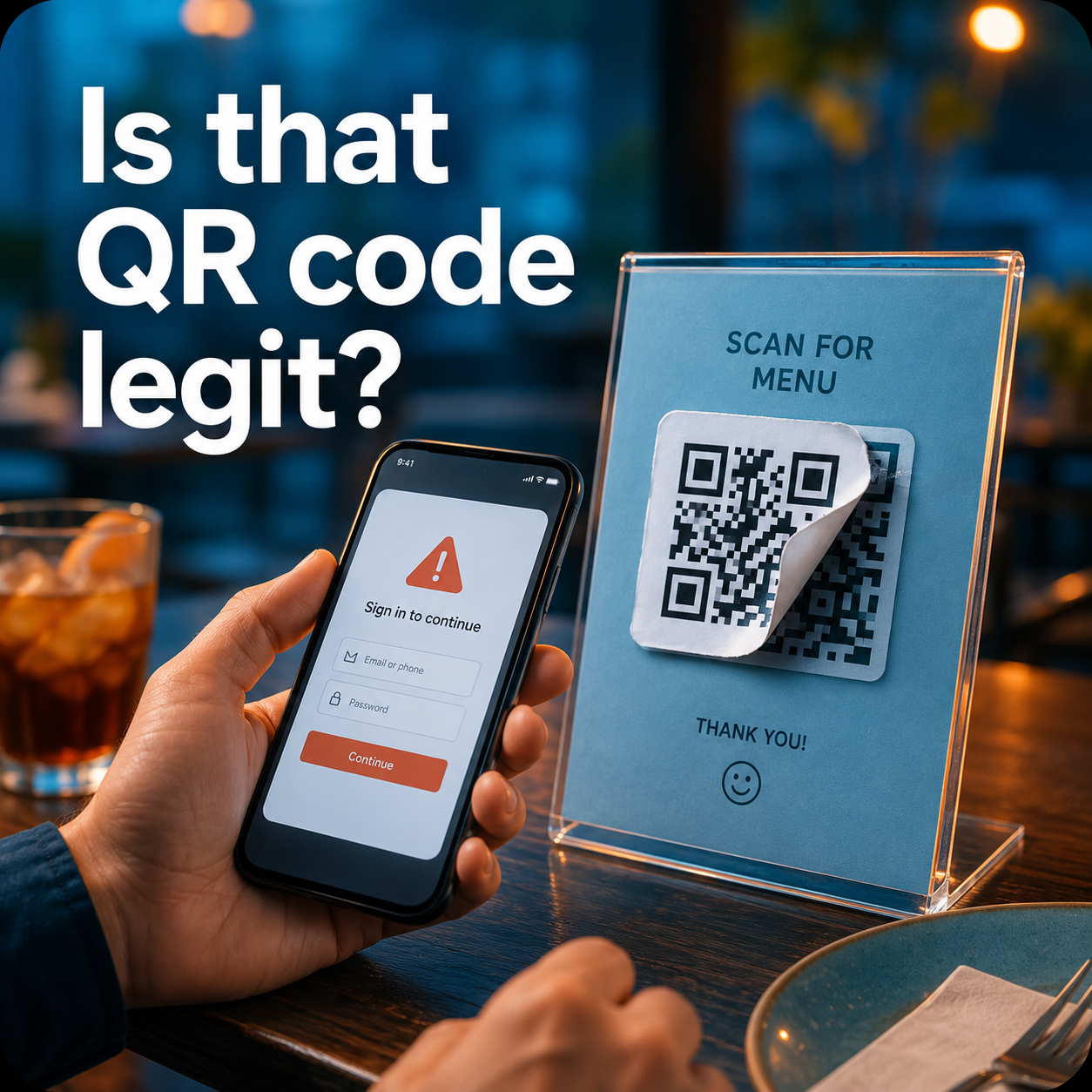
A bad actor can print a malicious QR code on a sticker and place it over a legitimate one. Imagine sitting down at a restaurant, scanning what looks like the menu code, and landing on a fake page instead. It might look harmless. It might even look polished. But behind the curtain, it could be designed to steal usernames, passwords, credit card numbers, banking information, or other personal data.
The FTC has warned that scammers hide harmful links in QR codes and has reported examples of fake codes being placed over legitimate ones, including on parking meters.
In other words, the scam is not always in a dark corner of the internet. Sometimes it is sitting next to the ketchup.
Why QR Codes Are So Tempting to Scammers
QR code scams work because people are busy. Hungry. Distracted. Trying to pay for parking before the meter inspector appears like a villain in a cape.
Scammers know this.
They rely on speed and trust. You see a QR code in a place where you expect one, so you scan it. You see a message saying your package is delayed, your account is locked, or your payment failed, so you scan before thinking. The FTC has warned that scammers may send QR codes by text or email and create a fake reason for people to act quickly.
That is the trick. The scam does not begin with hacking. It begins with habit.
What Could Go Wrong?
A fake QR code can send you to a bad website that does several unpleasant things, none of which pair well with lunch.
It may send you to a fake login page that looks like your bank, email provider, delivery company, or payment app. You enter your username and password, and now a scammer has them.
It may send you to a fake payment page. You think you are paying for parking, food, tickets, or a bill. Instead, your payment information goes to someone who was definitely not invited to the transaction.
It may try to get you to download an app. That app could request permissions it does not need, spy on your activity, collect data, or compromise your device.
It may ask for personal information that has no business being requested. A restaurant menu does not need your Social Security number. A parking meter does not need your email password. A coupon for free fries should not require your banking login, no matter how excellent the fries may be.
The FBI has warned that cybercriminals can tamper with QR codes to direct victims to malicious sites, steal data, embed malware, or redirect payments.
The Good News: Not Every QR Code Is a Tiny Cyber Goblin
This is not a call to run screaming from every square barcode.
Most QR codes are legitimate. Many restaurant menu codes are safe. The UK National Cyber Security Centre has said QR codes used in pubs or restaurants are probably safe, while QR codes in open public spaces, such as stations and car parks, may deserve more caution.
That is the right mindset. QR codes are not automatically dangerous. But they should be treated like links. And links, as we know, sometimes behave like raccoons in a trench coat.
Useful? Yes.
Trustworthy by default? Absolutely not.
Red Flags Before You Scan
Before scanning a QR code, especially in public, take a quick look.
Does it look like a sticker placed over another code? Is it crooked, peeling, oddly shiny, or clearly newer than the sign underneath it? Does it appear slapped onto a parking meter, restaurant table, poster, or payment station like it arrived with its own suspicious little agenda?
If so, pause.
At a restaurant, ask staff before scanning. If the QR code looks like it was placed on top of another one, tell the manager. You may be the person who stops the next customer from handing over their card details to a digital pickpocket.
After scanning, check the web address before doing anything else. Look for misspellings, strange domains, extra words, odd characters, or anything that feels off. If you expected the restaurant’s website but the link looks like “free-menu-secure-login-payment-now.biz,” that is not a menu. That is a crime scene with appetizers.
Also be careful with QR codes in emails, texts, unexpected packages, flyers, parking lots, and public posters. The FTC has warned about QR codes used in messages about package delivery, account issues, and suspicious activity.
How to Protect Yourself
The best protection is simple: do not scan a QR code unless you need to.
If there is another option, use it. Type the restaurant’s web address into your browser. Open the official app yourself. Use the business’s known website. Ask for a paper menu if one is available. There is no shame in paper. Paper has never redirected anyone to a fake banking page.
If you do scan, inspect the code first. Make sure it has not been covered by a sticker. Preview the URL before opening it. Most phones show the destination link before you tap through. Take the extra second. It is cheaper than replacing a credit card and emotionally healthier than yelling “How did they get my password?” into the void.
Do not enter login credentials unless you are absolutely sure the website is legitimate. Do not enter payment information on a page you reached through a suspicious QR code. Do not download apps from QR codes. Go directly to the Apple App Store or Google Play Store instead. The FBI recommends avoiding app downloads through QR codes and notes that most phones can already scan QR codes through the camera, so there is usually no need to download a separate QR scanner app.
Also, keep your phone updated and use multi-factor authentication where possible. Multi-factor authentication is not glamorous, but neither is having your email account hijacked by someone named “Customer Support Team 998.”
What to Do If You Already Scanned
First, do not panic. Panic is excellent for horror movies and terrible for cybersecurity.
If you scanned a suspicious QR code but did not enter anything, close the page. Do not click around. Do not download anything. Do not grant permissions. Just leave.
If you entered a password, change it immediately. If you use that same password anywhere else, change it there too. Yes, even that old shopping account you forgot about. Especially that one.
If you entered banking or credit card information, contact your bank or card issuer right away. Use the official banking app or the phone number on the back of your card. Do not call a number shown on the suspicious website. That is like asking the burglar for locksmith recommendations.
If your card allows you to freeze or lock it in the bank app, consider doing that immediately while you contact the bank.
If you downloaded an app, delete it. Then review your device permissions, update your phone, and consider using a reputable mobile security tool. If the app asked for access to contacts, photos, location, messages, or banking-related permissions, take the situation seriously.
If you believe you lost money or your information was stolen, report it. The FBI encourages victims of QR code fraud to report suspicious activity to the Internet Crime Complaint Center.
A Note for Restaurants and Businesses
Customers are not the only ones who need to pay attention.
If your business uses QR codes, those codes are part of your customer experience. They are a digital front door. If someone can place a fake sticker over that door, your customer may be led straight into a trap while sitting at your table, standing in your lobby, or paying at your meter.
That is bad for the customer. It is also bad for trust.
Businesses should inspect QR codes regularly, especially in public areas. Check tables, windows, counters, signs, menus, flyers, payment stations, and parking equipment. Use tamper-resistant displays where possible. Print the official website near the QR code so customers can compare the destination. Avoid strange-looking short links when a branded domain would do. Train staff to recognize suspicious stickers. Give customers an alternative, such as a typed web address or paper menu.
A QR code may be small, but it carries your brand’s reputation. Treat it accordingly.
Final Thought: Scan Like a Skeptic
QR codes are not going away. They are too convenient, too cheap, and too useful. But convenience should not require blind trust.
So scan with caution.
Look before you tap. Verify before you log in. Pause before you pay. And if a QR code looks like someone slapped it on with the subtlety of a raccoon stealing a sandwich, trust your instincts.
A few seconds of suspicion can be the difference between reading the menu and serving your personal information to a scammer on a silver platter.
If you have questions about cybersecurity please contact 2b1 inc.: Phone 415-284-2221 or fill out the firm below.